Comment LINK: Ready DM Templates
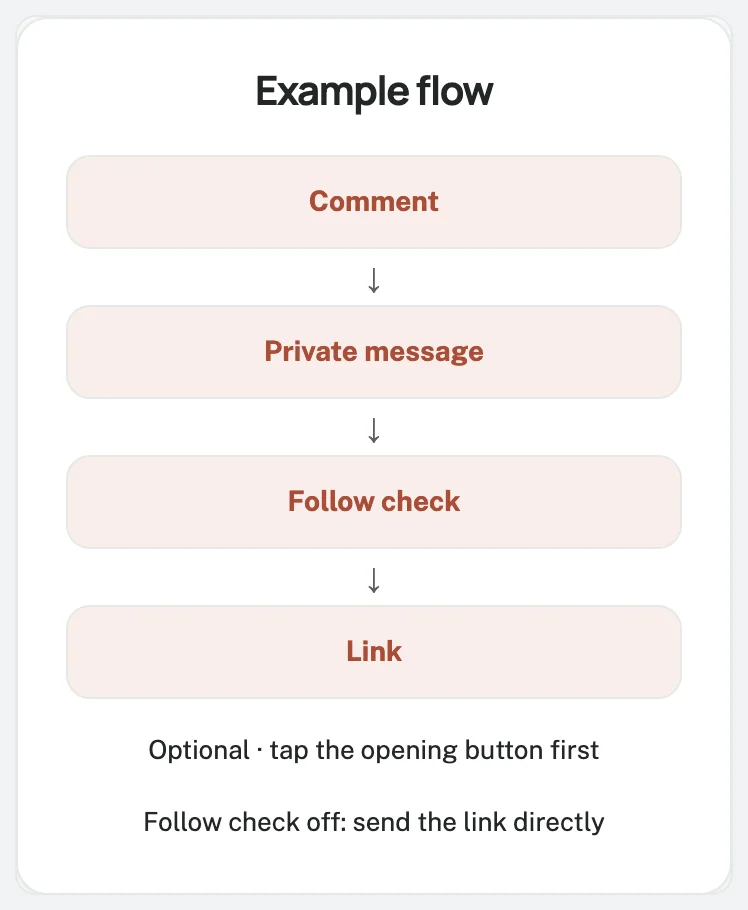
Choose a message for your business.
Copy it, replace the placeholders, and add your own link.
Copy the three-message link kit
Caption: one word, one promise
Want the [RESOURCE]? Comment LINK and I will send you the link by DM.
Use this on your selected post.
Replace [RESOURCE] with “packing checklist,” “new song,” or another clear description.
Match the rule's keyword.
Public acknowledgement: keep it honest
Thanks for asking. Please check your messages and message requests for the link.
This optional reply acknowledges the request.
Save “Sent!” for confirmed DM delivery.
Private message: choose one version
Choose one DM for people who comment LINK on your selected post.
Shop — send the requested catalogue
Replace the collection name and URL.
Check the catalogue, prices, and stock information.
Coach — share a free lesson
Replace the topic and URL.
Check that access is free and the lesson includes an exercise.
Creator — deliver a checklist
Replace the checklist name, destination, and activity.
Musician — share the official song link
Replace the song title and URL.
Test the release and listening option.
Course — deliver a sample lesson
Replace the course name, URL, and topic.
Link to the promised sample lesson.
Dayrect runs on a 23K-follower music page where 900+ people got an automatic DM in two weeks.
Start free with this message, or browse more templates.
Replace every placeholder before enabling
Square brackets mark text to replace manually.
Search for [ and ], fill every placeholder, and remove sentences that do not fit.
Open the final URL on a phone while signed out.
Check the resource and access requirements.
Disclose any registration requirement before people request the link.
Optional wording for a follow check
Direct delivery is the default.
Read the follow-before-link guide before enabling Only for followers.
Disclose your condition in the caption:
Follow the page and comment LINK to request [RESOURCE]. We will check the follow before sending the link.
Keep Retry button label as I followed, check.
For Follow-request text, use:
We could not confirm your follow yet. Please follow the page if you have not already, then tap “I followed, check.” If it still fails, reply here for help.
This text covers non-followers and unavailable status.
Put the URL only in the resource-delivery message.
Match your wording to the retry button; typing DONE does not trigger this check.
Steps: use this template
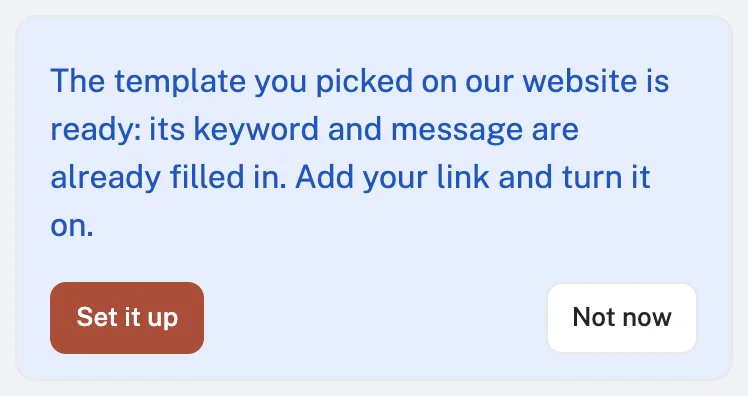
Paste the text into a rule using the full comment-to-DM setup guide:
1 Connect Instagram account
Create your Dayrect account, verify your email, and connect a Business or Creator Instagram account through Instagram Login.
2 Comment → DM
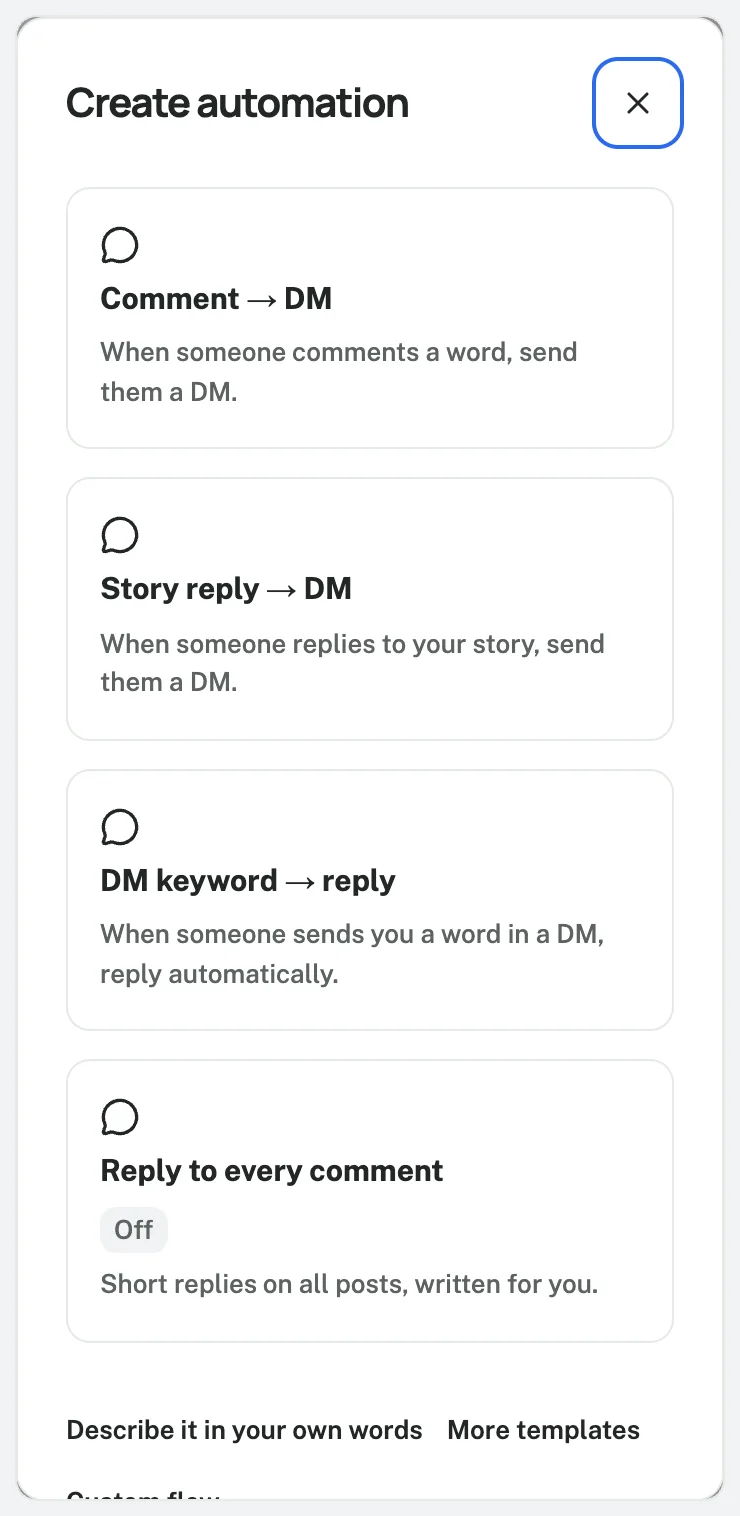
Choose Create automation → Comment → DM, select the intended post, and enter LINK under Words.
3 Message to send
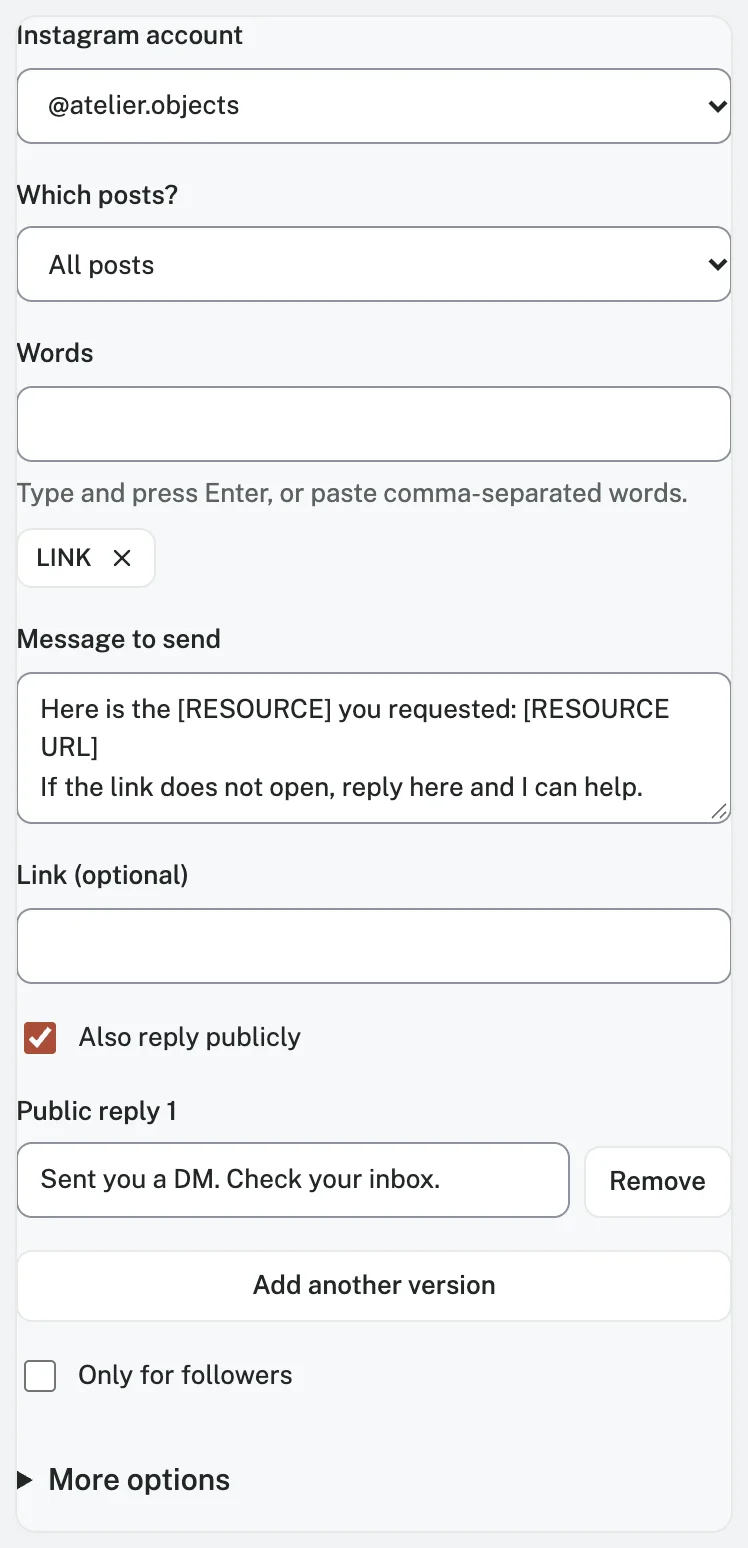
Paste your edited DM into Message to send.
Include the URL there or in Link (optional), and edit Also reply publicly if enabled.
4 Test with a sample
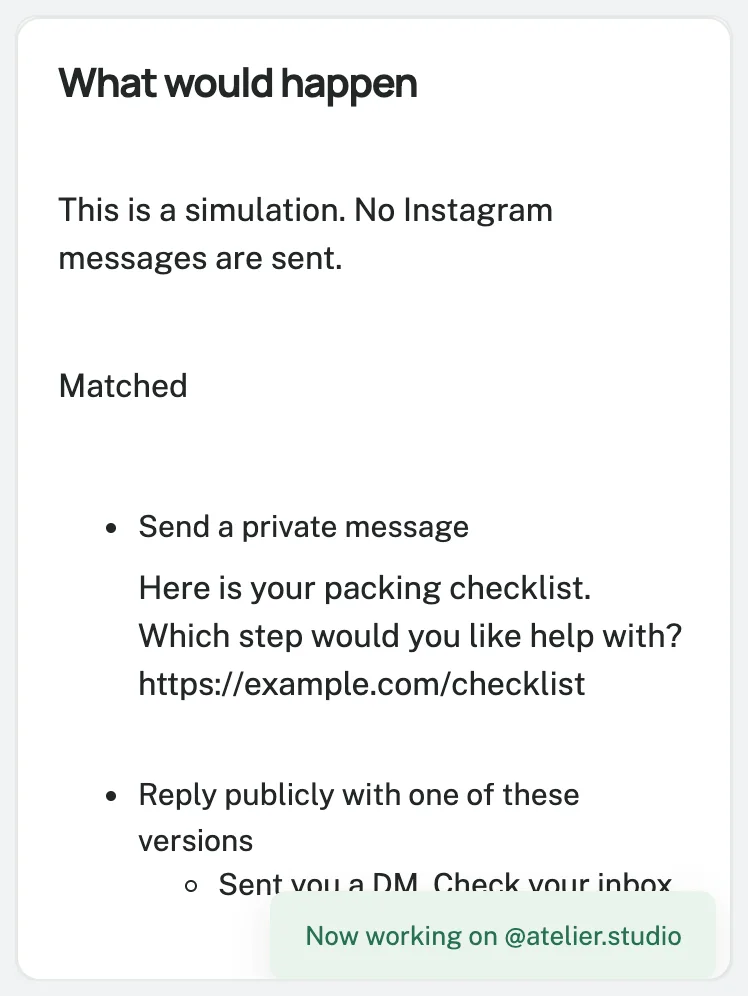
Review the simulation, choose Save and turn on, and test from another Instagram account.
Review the default automation disclosure on the first message.
Check Free's contact and automation limits under pricing.
Test matching and nonmatching comments, recipient delivery, and the destination.
Test both follower paths if enabled.
For help, ask: “Which resource did you request?”
Frequently asked questions
Which keyword should I use?
Use LINK or a resource-specific word.
Match it in the caption and rule, then test the spelling and matching behavior.
Can I copy these messages for free?
Yes.
Adapt the wording.
Automation remains subject to plan limits and platform rules.
Will the bracketed text fill itself in?
No.
Replace every placeholder manually before activation.
Do the messages send automatically after I copy them?
No.
Configure and activate the rule first.
An eligible matching comment then triggers the message.
Templates
Comment keyword: LINK
Use this template