Send a Link When Someone Comments on Instagram
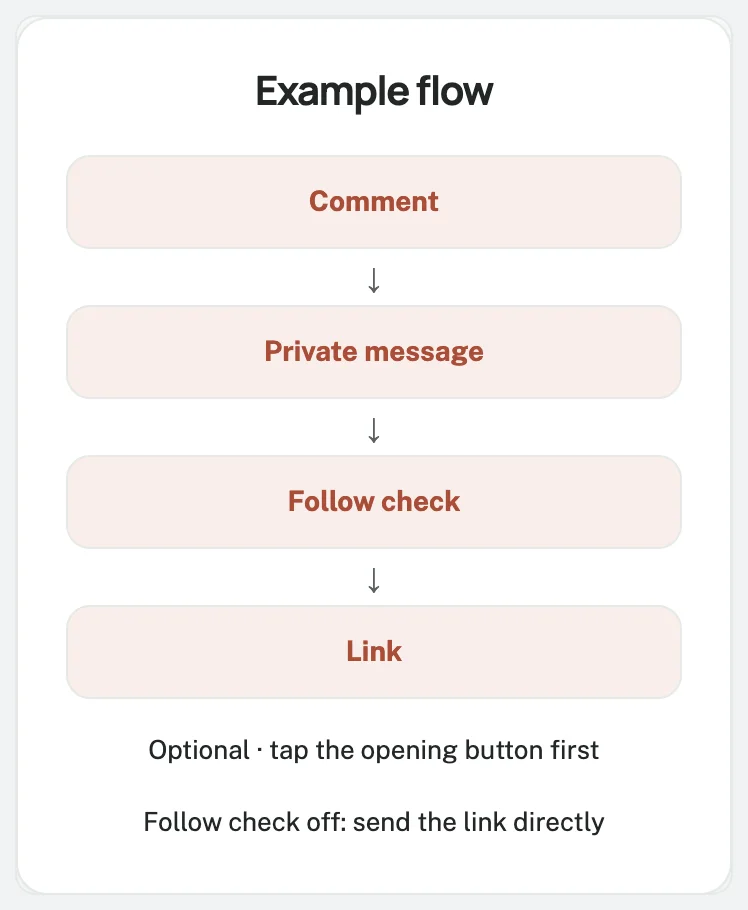
Someone comments LINK.
Your automation sends the requested link by DM.
Start with one post and one useful resource.
Use it for a shop's catalogue, a coach's lesson, or an official song link.
Dayrect runs on a 23K-follower music page where 900+ people got an automatic DM in two weeks.
What happens after the comment?
The path is keyword comment → eligible private reply → requested link.
An optional public acknowledgement appears under the comment.
It is separate from DM delivery.
A direct text-and-link automation puts the resource in the first private message, without an opening button.
See the comment-to-DM overview for more uses.
Prepare the account and resource
Use a public Instagram Business or Creator account that owns the post.
Create your Dayrect account, verify your email, and choose Connect Instagram account.
Complete Instagram Login and authorize access to comments and messages.
No linked Facebook Page is needed.
Dayrect is a Meta-approved app using the official Instagram API.
No password sharing is needed: sign in on Instagram's own authorization screen.
Open the destination on a phone.
Check that it contains the promised resource, with any purchase or login requirements clearly explained.
Use your own catalogue or lesson page, or an official streaming link.
Steps
1 Choose the post
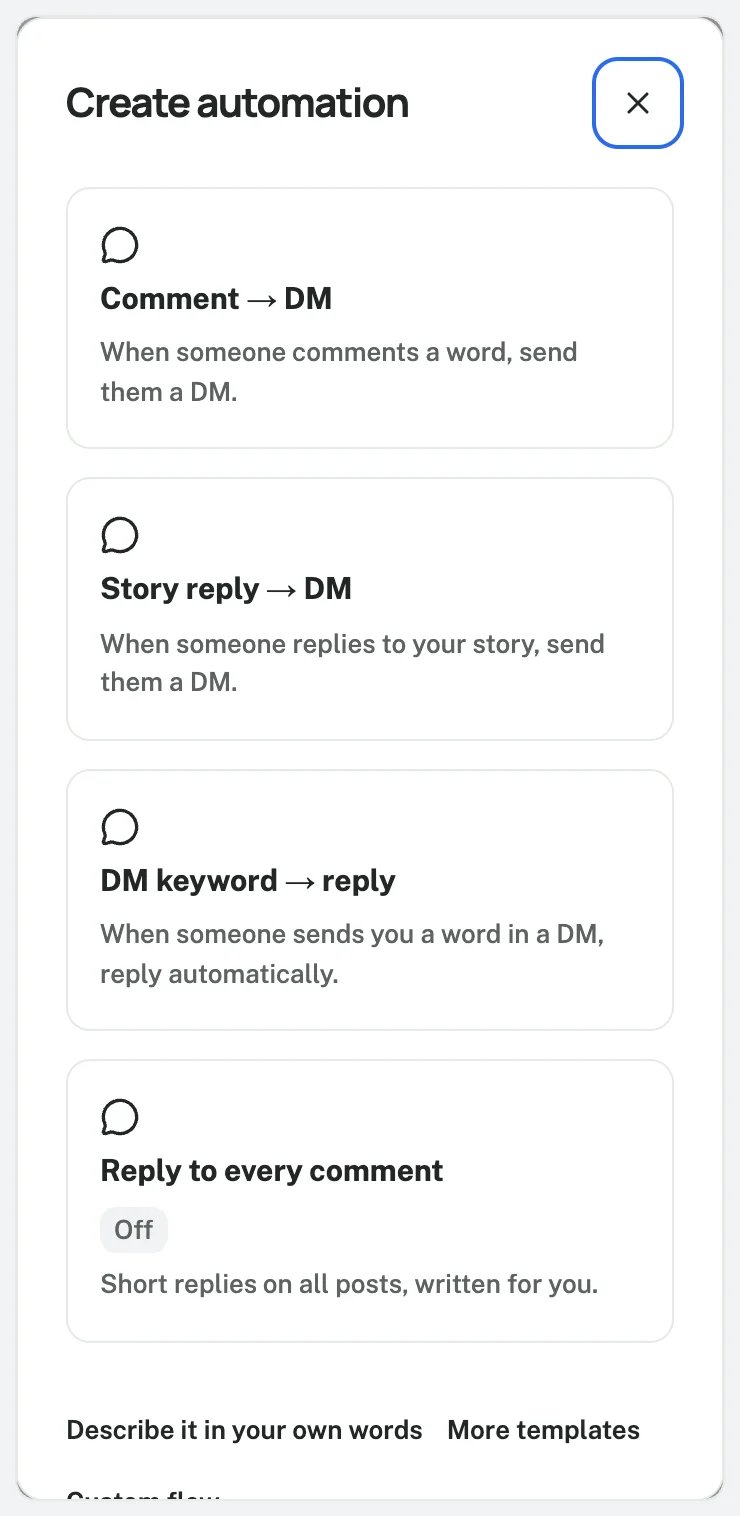
Open Create automation, then Comment → DM.
Check the account.
Under Which posts?, choose Choose posts and select your post or Reel.
Start with one post for easier testing; All posts is also available.
Use a caption with one clear promise:
Want the packing checklist? Comment LINK and I will send you the checklist by DM.
Give posts offering different resources their own scoped automations.
This keeps LINK requests pointed at the right destination.
2 Add the word people should comment
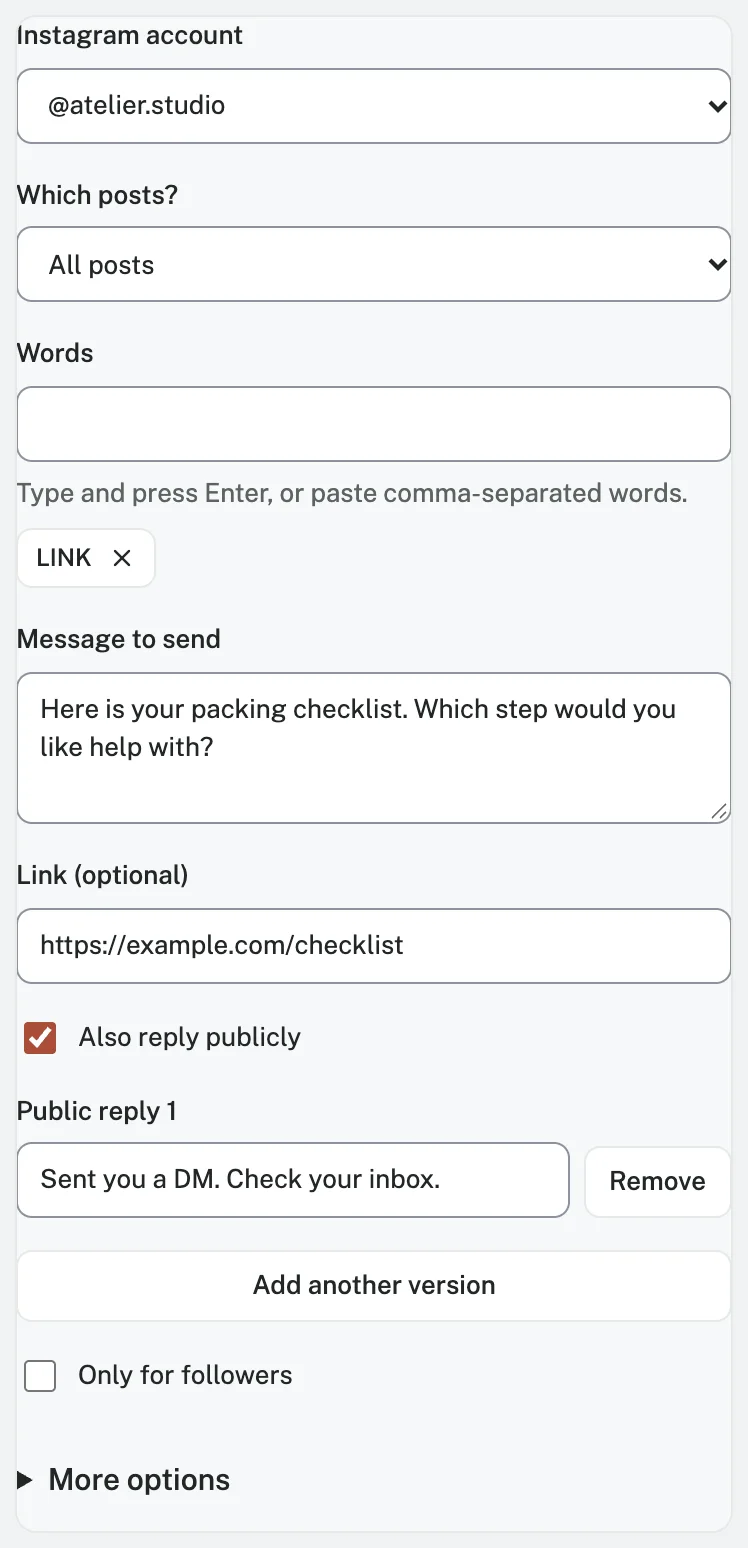
Enter LINK under Words.
The default whole-word matching accepts LINK, link!, and Please send the link, but does not match blink.
Matching normalizes case and accents; it does not translate words or guess every misspelling.
Contains can match part of a longer word.
Exact match compares the whole normalized comment, including punctuation.
Keep the default here and test your audience's wording.
For example, Contains matches LINK inside blink.
Exact match accepts link with surrounding spaces, but not LINK! or please send the link.
Choose the mode before testing.
3 Deliver the promised resource
Write the DM in Message to send.
Add the URL there or in Link (optional), once.
Here is the packing checklist you requested: [CHECKLIST URL]. Which part of packing takes you the longest?
Replace the bracketed instruction with your real URL before enabling the automation.
For more wording, use the Comment LINK message template or browse the template library.
By default, Dayrect adds a disclosure to the first automated message.
In English, it reads “This is an automated message.” Owners and administrators can edit the setting.
Review the complete message and keep the disclosure clear.
4 Review the optional steps
Also reply publicly lets you add acknowledgement variants.
Replace any wording that claims successful delivery with something neutral:
Thanks for asking. Please check your messages and message requests for the link.
Leave Only for followers off for direct delivery, including to non-followers.
To explore that optional condition, read the follow-before-link guide.
Under More options, keep Send a button first off and Once per person per post on.
That default prevents repeat comments from restarting this automation for the same person and post.
Later conversation replies remain possible.
5 Test and turn it on
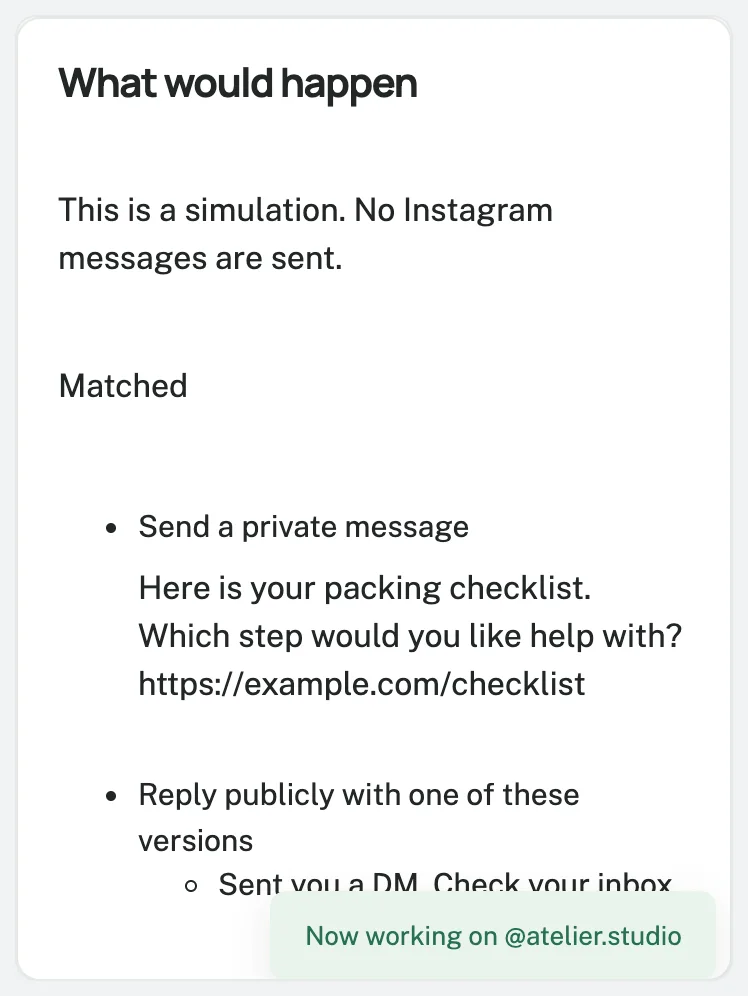
Test with a sample simulates the rule without sending Instagram messages.
Review the account, post, keyword, final text, and link.
Save as draft leaves it inactive; Save and turn on activates a valid new automation.
After activation, leave a fresh matching comment from another Instagram account.
Check its inbox and message requests, then open the DM and URL.
Try a nonmatching comment and a repeat comment too.
Use a fresh tester or selected test post if earlier test history affects the result.
Keyword rules normally run before Reply to every comment.
Check which automation handled your test, especially with custom priorities or overlapping rules.
If the link does not arrive
Use the symptom to choose your next check.
| What you see | What to check |
|---|---|
| Nothing happens | Confirm the rule is active, the keyword matches, and the correct post and account are selected. |
| A public reply appears, but no DM | Check message requests and the private-message result in activity; public replies are separate. |
| A repeat comment gets no new link | Check Once per person per post and earlier runs for that tester. |
| The connection needs attention | Reconnect through the supported Instagram connection flow, then retest. |
| The DM arrives with the wrong resource | Correct the destination and test the link on a phone. |
A queued message is awaiting delivery.
Inspect its result before asking someone to comment again.
Know the limits before expanding
Dayrect enforces one private reply per comment within seven days.
Note: Standard automated DM replies need an open messaging window, normally 24 hours after the person's latest inbound message.
A private reply or website click alone does not authorize follow-ups.
See Meta's private-reply documentation for current guidance.
Free includes 1,000 active contacts per calendar month, five active automations, and 100 AI actions.
An active contact has at least one inbound or outbound message that month; contacts are not a DM allowance.
A fixed keyword-and-link reply does not need AI-generated text.
Creator costs USD $15 monthly.
Eligible founding customers pay $7.50 while subscribed, subject to available places.
Check pricing and current terms.
Start free and set up your link DM.
Launch once the caption, selected post, received message, and destination all agree.
Frequently asked questions
Can this send while I am offline?
Yes.
An active automation handles eligible comments while you are offline, subject to connection, service, plan and platform limits.
Is this the same as a saved reply?
No.
Saved text helps you compose replies.
An activated automation sends them when a comment matches.
Can I send the link privately rather than in a comment?
Yes.
Put the URL in the DM and leave it out of the public acknowledgement.
Check the recipient's message.
Can I start free without requiring a follow?
Yes.
Free includes comment automation with the follow requirement off by default, within its active-contact and automation limits.